Trade shows are one of the best places for manufacturers to meet buyers, distributors, engineers, and decision-makers face to face.
But there is one obvious problem for companies that sell heavy machinery.
You cannot always bring the machine with you.
Large industrial equipment may be too heavy, too expensive, too complex, or simply too difficult to transport. In some cases, the machine may require a full production environment, specialist installation, or strict safety conditions before it can even be operated.
That does not mean your booth has to rely on brochures and static product images.
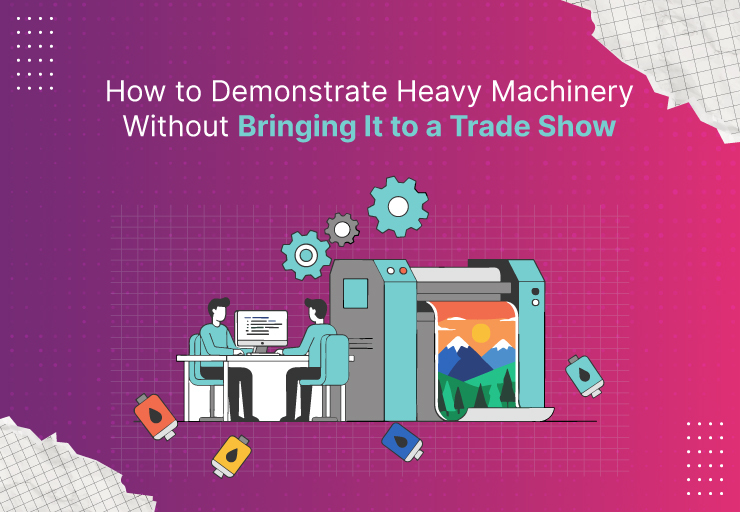
With the right mix of 3D animation, video, interactive content, and digital product demonstrations, you can explain how a machine works without moving the actual equipment to the exhibition floor.
The goal is simple: help visitors understand the product as clearly as if they were standing next to it.
Additional Read:
Is It Safe to Outsource Technical 3D Animation Overseas?
Why Bringing Heavy Machinery to a Trade Show Is Difficult
Transporting industrial equipment to a trade show is rarely a straightforward job.
A large machine may require specialist freight, permits, cranes, forklifts, custom packaging, installation crews, and additional insurance. Once it arrives, the equipment still has to fit within the booth layout and comply with venue safety requirements.
The costs add up quickly.
For very large systems, transportation may cost more than the exhibition space itself.
There is also the risk of damage during shipping, installation, or dismantling.
Even if the equipment reaches the event safely, demonstrating it may still be impossible. Some machinery needs raw materials, ventilation, utilities, production lines, or operating conditions that a trade show floor simply cannot provide.
For these companies, a digital demonstration is often the more practical option.
1. Use 3D Animation to Show How the Machine Works
3D animation is one of the strongest alternatives to bringing a physical machine to a trade show.
Instead of showing only the exterior, you can demonstrate exactly what happens inside the equipment.
A 3D animation can:
- Remove outer panels
- Show internal components
- Demonstrate moving parts
- Visualize airflow, fluids, heat, or material movement
- Explain the production process step by step
- Highlight safety systems
- Show maintenance access
- Demonstrate different machine configurations
This is especially useful when the most important part of the machinery is hidden inside.
For example, a manufacturer of packaging equipment could show how products move through conveyors, sensors, filling systems, sealing stations, and inspection units in a single animation.
A visitor can understand the entire process in a few minutes without seeing the real machine.
2. Create a Large-Screen Product Demonstration
Trade show booths are busy environments.
People walk past quickly, so your content needs to communicate value before they move on.
A large display showing a well-produced machinery demonstration can attract attention from across the hall.
Instead of playing a long corporate video, create a short visual sequence focused on the machine.
Show:
- What the equipment does
- What problem it solves
- How the process works
- Key technical advantages
- Important performance features
- Different applications
Keep the visual movement clear enough that someone can understand the basic idea even without audio.
Trade shows are noisy, and many visitors will watch the screen before they speak with your sales team.
3. Use Exploded Views to Explain Complex Components
Heavy machinery is often difficult to understand from the outside.
An exploded 3D view separates the equipment into individual parts and shows how those parts fit together.
This can be extremely useful when discussing:
- Drive systems
- Pumps
- Gear assemblies
- Motors
- Bearings
- Internal processing systems
- Safety components
- Replaceable parts
- Maintenance areas
An exploded animation can make a complicated assembly much easier to explain.
Your sales team can use the visual while talking to engineers or technical buyers who want more detail than a standard marketing video provides.
4. Show the Machinery Operating in Its Real Environment
One disadvantage of displaying machinery at a trade show is that the equipment is removed from its normal operating environment.
A large production machine can look impressive in a booth, but visitors may still struggle to imagine how it fits into their facility.
3D animation can solve this problem.
You can place the machine inside a realistic digital factory, warehouse, processing plant, construction site, or production line.
This allows potential buyers to see how the equipment works within a larger system.
For example, instead of showing an isolated conveyor, you could demonstrate how it connects production, inspection, sorting, packaging, and shipping.
That wider context can make the value of the machine easier to understand.
5. Create Interactive 3D Product Experiences
A prerecorded animation is useful, but some trade show conversations require more flexibility.
Interactive 3D product experiences allow visitors or sales representatives to explore the machine on demand.
Users may be able to:
- Rotate the machine
- Zoom into components
- Open panels
- Select different configurations
- View internal systems
- Switch between operating modes
- Highlight individual features
- Explore technical specifications
This works particularly well on touchscreens, tablets, or large interactive displays.
The advantage is that the conversation does not have to follow a fixed video sequence.
If a prospect wants to know about maintenance access, the salesperson can jump directly to that section. If another buyer is interested in the control system, they can focus there instead.
6. Use Augmented Reality to Place the Machine in the Booth
Augmented reality can create the impression that the machinery is physically present even when it is not.
Visitors can use a tablet or phone to view a digital 3D version of the equipment positioned within the booth.
They may be able to walk around it, inspect its size, and explore specific components.
For very large equipment, AR can help communicate scale more effectively than a small model or photograph.
It can also be used later by sales teams when visiting customer facilities.
A buyer could see how the machine might fit within their own production floor before making a purchase decision.
7. Use Virtual Reality for Immersive Demonstrations
Virtual reality is another option for machinery that is too large, dangerous, or complex to demonstrate physically.
With a VR headset, visitors can step into a digital version of the operating environment.
They might walk around the machine, inspect components, or watch the equipment operate from different positions.
VR can be particularly useful for:
- Construction equipment
- Mining machinery
- Large manufacturing systems
- Processing plants
- Warehouse automation
- Energy equipment
- Specialized industrial machinery
It is not necessary for every trade show booth, but when used for the right product, it can create a memorable experience.
8. Film the Machine at Your Facility
Sometimes the best solution is not animation at all.
If the machinery is already installed and operating at your factory, customer site, or testing facility, you can film it there.
A professional industrial video can show the machine under real operating conditions.
You can capture:
- Full machine operation
- Operator interaction
- Close-ups of components
- Control interfaces
- Product output
- Maintenance processes
- Safety features
- Production speed
You can then edit the footage into a concise trade show video.
This gives visitors real-world proof without requiring you to transport the equipment.
9. Combine Live-Action Footage With 3D Animation
For many industrial products, the strongest presentation combines real footage and 3D animation.
Live action shows that the machine exists and works in a real environment.
3D animation explains the things the camera cannot see.
For example, the video could begin with real factory footage showing the machine operating. It could then transition into a 3D cutaway to explain what happens internally.
This approach gives you both realism and clarity.
It is particularly effective when buyers want technical detail but also want confidence that the equipment performs in real-world conditions.
10. Build a Digital Sales Presentation Around the Machine
Your sales team shouldn’t rely on a single video.
A complete trade show demonstration package may include:
- A short booth video
- Detailed 3D animation
- Product renders
- Interactive models
- Technical diagrams
- Case studies
- Performance data
- Customer application videos
This gives sales representatives different ways to explain the machinery depending on who they are speaking with.
A plant manager may care about throughput.
An engineer may want to understand the mechanism.
A maintenance manager may care about service access.
A procurement team may want to understand efficiency and operating costs.
The same machinery can be presented differently to each audience.
Why 3D Animation Works So Well for Heavy Machinery
Heavy machinery is one of the strongest use cases for 3D animation because physical limitations are common.
Animation removes many of those limitations.
You can make the machine transparent.
You can slow down fast movements.
You can remove panels.
You can show processes that happen inside sealed components.
You can isolate one feature at a time.
You can even show equipment that is still in development.
This makes technical communication much more flexible than relying only on live demonstrations.
Can You Use CAD Files to Create the Animation?
In many cases, yes.
Manufacturers often already have CAD data for their machinery.
These files can provide a strong starting point for 3D animation.
However, engineering CAD models are usually created for manufacturing, not visual production. They may contain far more detail than an animation needs.
The animation team may need to simplify, optimize, texture, and prepare the model before production begins.
Good CAD files can still reduce the amount of modeling required and improve technical accuracy.
What Should You Prepare Before Creating a Trade Show Machinery Demo?
Before production begins, gather the information your creative team will need.
Useful materials include:
- CAD models
- Engineering drawings
- Product photographs
- Existing videos
- Technical specifications
- Operation manuals
- Process diagrams
- Brand guidelines
- Sales presentations
- Key customer questions
It also helps to identify the most important message.
Do not try to explain every technical feature in one video.
Ask what visitors need to understand before they begin a conversation with your sales team.
That should drive the content.
How Long Should a Heavy Machinery Trade Show Video Be?
Shorter is usually better for the main booth screen.
A video between 30 seconds and 2 minutes can work well for attracting attention and explaining the core value.
More detailed technical demonstrations can be available separately for visitors who want deeper information.
The main screen should create interest.
The sales conversation can provide the detail.
Should You Still Bring a Physical Model?
A physical scale model can still be useful, especially when product size is important.
But it does not replace animation.
A model shows shape and proportion.
Animation shows movement, processes, internal systems, and operating behavior.
In many cases, combining a small physical model with a digital demonstration gives visitors the best of both formats.
Final Thoughts
You do not need to transport several tons of equipment across the country or around the world just to demonstrate it at a trade show.
3D animation, industrial video, interactive models, AR, and VR can help buyers understand large machinery without the logistical problems of moving the real equipment.
The most important thing is to choose the format that answers your buyers’ questions clearly.
If the machine is too large to transport, too complex to operate at the event, or difficult to understand from the outside, a digital product demonstration can often tell the story better than a static display.
At KrishaStudio, we create 3D animation and industrial product videos that help manufacturers explain complex machinery clearly. From internal mechanisms and production processes to trade show visuals and product demonstrations, our team develops content that supports technical sales without requiring the equipment to be physically present.